What to Look for in a Personal Alarm for Family Safety
Making sense of personal safety devices for loved ones
When a family member lives independently - whether they are an older parent, a teenager heading out alone, or someone with a medical condition - a personal alarm can offer real peace of mind. But not all devices work the same way, and the choices can feel overwhelming. This article walks through the key points to check before buying a personal alarm for someone in New Zealand. The goal is simple: find a device that actually gets used, works when needed, and suits the person wearing it.
How the alarm connects matters a lot
The most important feature of any personal alarm is how it calls for help. Some devices simply send a text alert to a family member. Others connect to a monitoring centre that can listen in and talk back. This second type, often called a two way voice alarm, allows the person at the monitoring centre to speak through the device. They can ask what is happening, calm the user down, and decide the right response. For a family, this is a huge advantage. Instead of guessing whether a fall is serious or just a bump, a trained operator can assess the situation immediately.
When checking a device, ask whether it offers automatic answering. This means the alarm does not require the user to press a button to talk to the monitoring centre. If someone falls and cannot move, the device can still connect and let the operator hear what is happening. That feature alone can make the difference between a quick response and a long wait.
Battery life and charging habits
A personal alarm is only useful if it has power. Some devices run on replaceable batteries, others use rechargeable ones, and a few need daily charging. Think about the person who will wear it. Will they remember to plug it in every night? If not, a device with a week-long or month-long battery life is a better fit. Many modern alarms use a small rechargeable battery that lasts several days with normal use. Look for devices that give a low-battery warning, either through a light or a message to the family app. That way, you are not left guessing when the power is about to run out.

Water resistance is another factor that affects battery reliability. If the device is worn in the shower - a common place for falls - it needs to handle moisture. Check the IP rating. A rating of IP67 or IP68 means the device can survive being submerged or splashed. Without that, a shower could kill the battery or damage the electronics.
Wearing options and comfort
A device that sits in a drawer is no use at all. People will only wear a personal alarm if it feels natural and does not get in the way. The main wearing options are pendants, wristbands, belt clips, and devices that attach to clothing. Each has its own trade-offs. Pendants are easy to reach but can swing around or get caught on things. Wristbands are always visible and harder to forget, but some people find them uncomfortable for sleep. Belt clips work well for active users but can be less accessible for someone with limited hand movement.
Think about the person's daily routine. Do they already wear a watch? Then a wristband alarm might feel familiar. Do they rarely wear jewellery? A pendant might be better. Some devices come with multiple wearing options in the box, which lets the user try different styles and pick what works. That flexibility is worth paying attention to.
Location tracking and GPS
For a family member who goes for walks, drives to appointments, or simply wanders around the garden, knowing their location can be crucial. Many personal alarms now include GPS location sharing. If the alarm is triggered, the monitoring centre or family members receive a map location. This is especially useful if the person cannot speak or is disoriented after a fall.
However, GPS does not work perfectly indoors or in dense urban areas. Some devices supplement GPS with Wi-Fi positioning or cellular triangulation. Ask how the device handles location when the GPS signal is weak. A good device will still give a useful general area even if the precise satellite fix is lost.
Emergency contacts and how they are notified
When an alarm is triggered, who gets told? The most common setup is a list of emergency contacts - family members, neighbours, or a friend - who receive an alert by phone call, text, or app notification. Some services also contact a professional monitoring centre. The best approach depends on your family. If someone is always nearby and can respond quickly, a direct alert to them might be enough. If the person lives alone or far from family, a monitoring centre that can dispatch emergency services is more reliable.
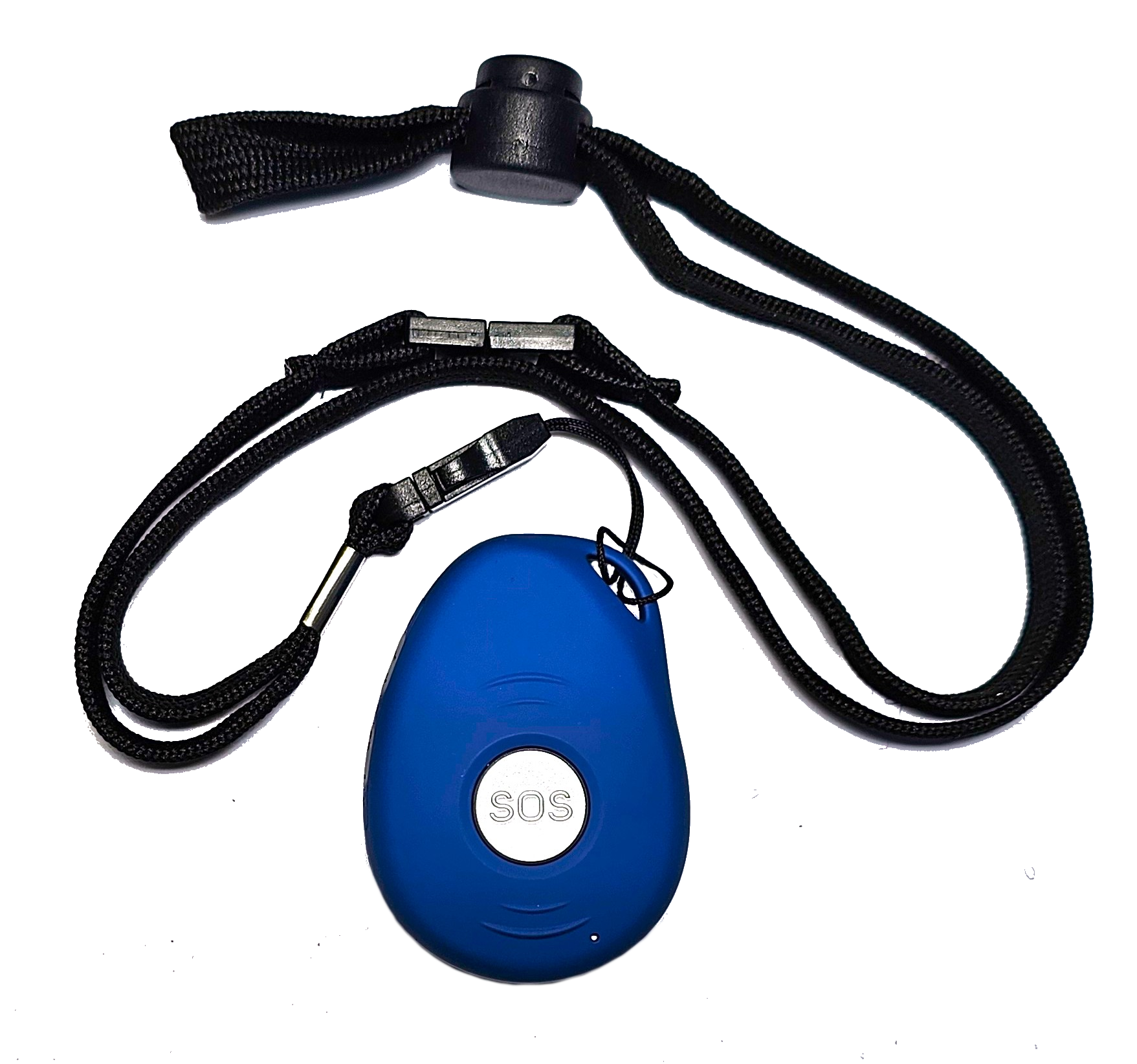
Check whether the device supports SMS commands. This allows a family member to send a text message to the device, for example to check if everything is okay or to adjust settings. It is a simple feature but can be very reassuring, especially if the person wearing the alarm does not always answer their phone.
Setup and ongoing support
No one wants a device that takes hours to configure. Look for a service that offers setup support, either through a phone call, online chat, or clear printed instructions. Some providers even help you test the device with a live monitoring centre before you leave it with your family member. That initial test can catch problems like poor cellular reception or a weak GPS signal before they matter.
Monthly fees are another consideration. Most personal alarms with monitoring centres charge a subscription. The fee usually covers the SIM card, the monitoring service, and sometimes replacement devices. Compare what is included. Some packages let you add extra family members or upgrade to a two way voice alarm for a small extra cost. Read the fine print on cancellation and returns.
For a New Zealand family, a service that understands local emergency numbers and geography is important. A provider based overseas might not have the same response times or knowledge of local services. That is one reason to look for a company that specifically operates in New Zealand and tailors its devices to the local network.
One option worth considering is a device that combines all these features - SOS alerts, fall detection, GPS location sharing, and two way voice communication - in a wearable form. The site familyr.co.nz offers such a device, designed for independent living in New Zealand. Checking their product details can give you a concrete example of what a modern personal alarm looks like.
Putting it all together: a quick checklist
Before you buy, run through these questions with your family. They will help you pick the right device for your situation.

- Does the device have two way voice communication so a monitoring operator can talk directly to the user?
- What is the battery life, and how is the device charged? Does it give a low-battery warning?
- Is the device water-resistant enough for shower use? Check the IP rating.
- What wearing options come with it, and can the user try different styles?
- Who gets notified when the alarm is triggered, and how quickly can they respond?
Answering these questions honestly will steer you toward a device that fits your family member's life, not just their medical needs. A personal alarm is a tool for freedom, not a reminder of frailty. The right one will be worn every day, work without fuss, and give everyone a little more confidence.
Remember, the best device is the one that actually gets used. That means comfort, simple charging, and a connection method that feels natural. A two way voice alarm can turn a moment of panic into a calm conversation with someone who knows what to do. For families looking after each other from a distance, that kind of reassurance is priceless. And if you want to see how a New Zealand-focused device handles all these points, familyr.co.nz provides a good starting point for your research.